COLLECTOR GUIDES
Your first cabinet: from shelf to screen in 10 minutes
A bottle, its label and a few minutes are enough to get started. Your first cabinet does not need to be complete: begin with one bottle you own, then build your collection at your own pace.
Allow about 10 minutes once your account is verified. Keep a bottle nearby and, if you like, take a photo of its label before you begin.
Screenshots use fictional tutorial records. Controls are shown as captured in October 2026.
1. Create your account
Open My Bottle Collection and choose Create your account when registration is available. Enter your details, then check your inbox for the verification email. Open its link, select Verify email, and return to sign in.
If the email is missing, check your spam folder or use Resend verification email. If someone has invited you to a cabinet, follow that invitation using the same verified email address instead.
2. Give your collection a home
Create a cabinet and give it a name you will recognise, such as “My collection”. You can keep whisky, wine and other spirits together in the same cabinet.
Start with the bottles already on your shelf. Save bottles you would like to buy for your wishlist.
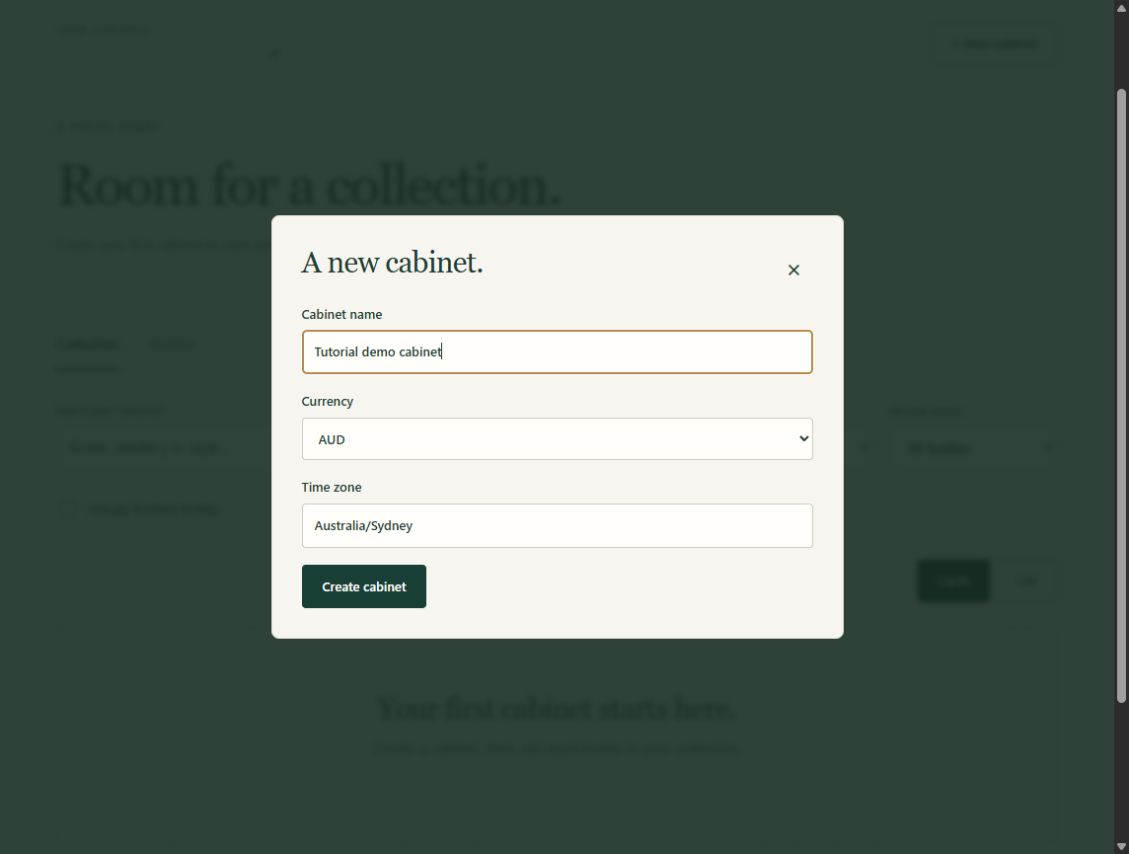
3. Add your first bottle
Choose Add a bottle and enter its name as it appears on the label. Add the producer, bottle size and ABV where you know them. If you have the purchase details, record the amount you actually paid and the seller.
Leave unknown details blank. You can fill them in later without holding up your first bottle.
Create one record for each physical bottle. Two bottles with the same label may have different purchase prices, opening dates and amounts remaining.
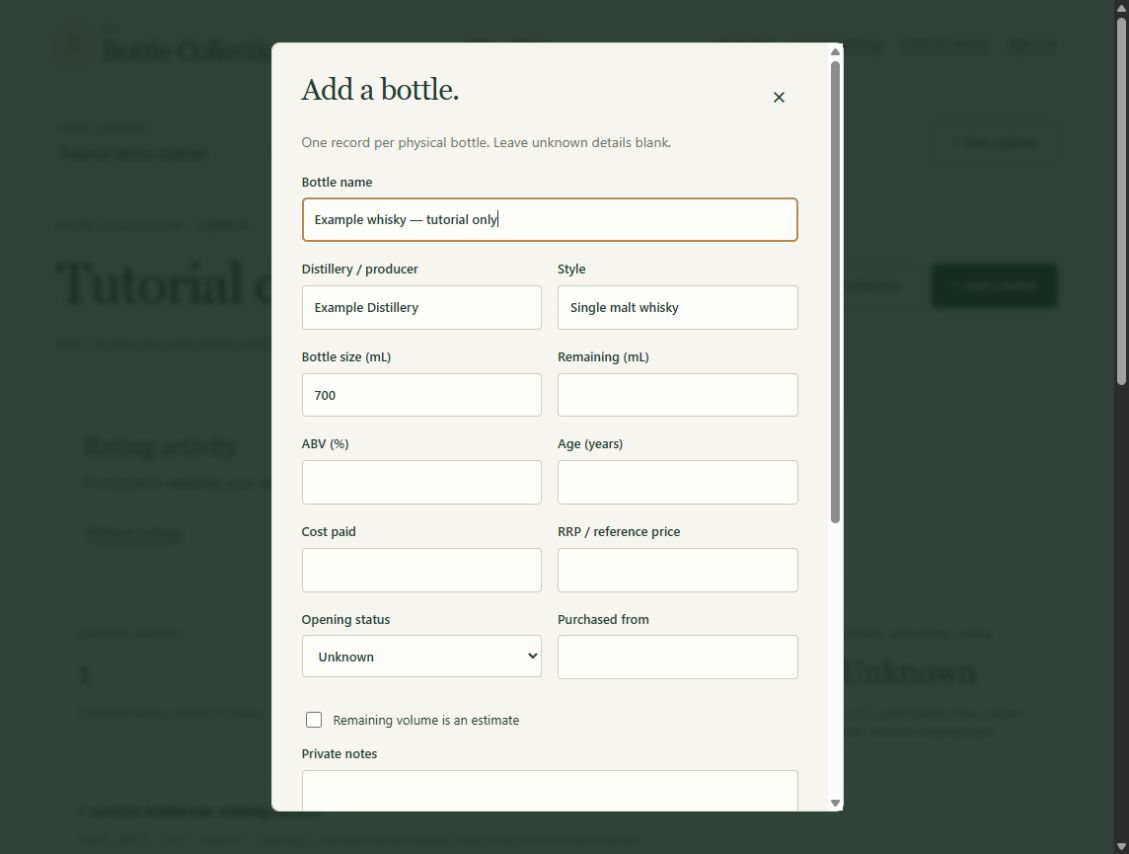
4. Record its opening state and remaining amount
Record whether the bottle is sealed or open if you know. Leave the opening state unknown if you are unsure.
For an opened bottle, enter the remaining volume only if you know it or can make a useful estimate. Mark estimates as approximate. For example, a 700 mL bottle that looks half full could be recorded as approximately 350 mL remaining, with a note explaining the estimate.
Unknown remaining volume does not mean empty. Leave unknown dates blank too, and mark estimated dates as approximate.
5. Add a photo
Use the bottle’s photo controls to upload a clear label photo. You can keep up to three photos with each bottle: the front label, back label and a detail you want to remember are useful starting points.
Photograph the bottle against a simple background in soft light. Check that the label is readable before uploading. If a phone’s HEIC photo will not upload, try a JPEG copy.
6. Find your bottle again
Return to your collection and find the bottle using search. Open View bottle to see its details, photos and private timeline together.
That is your first bottle catalogued. Add another when you are ready, or use the missing-details filter later to fill in the gaps. You can record completed pours and tasting notes as you enjoy the collection; logging every pour is optional.
Next: Learn how to share your collection, or read the tasting journal guide.