COLLECTOR GUIDES
How to keep an offline copy of your collection
An Excel export gives you a readable copy of your cabinet to keep on your computer. Use it to browse your records offline or keep a dated snapshot as your collection changes.
Only the cabinet Owner can export. Editors, Viewers and people using public share links cannot download the workbook.
Screenshots use fictional tutorial records. Controls are shown as captured in October 2026.
1. Open the cabinet you want to save
Sign in to My Bottle Collection and select a cabinet you own.
The export includes the whole cabinet, including finished bottles. Your current search, filters and sort choices do not restrict it.
2. Download the workbook
- Select Export to Excel beside the collection actions.
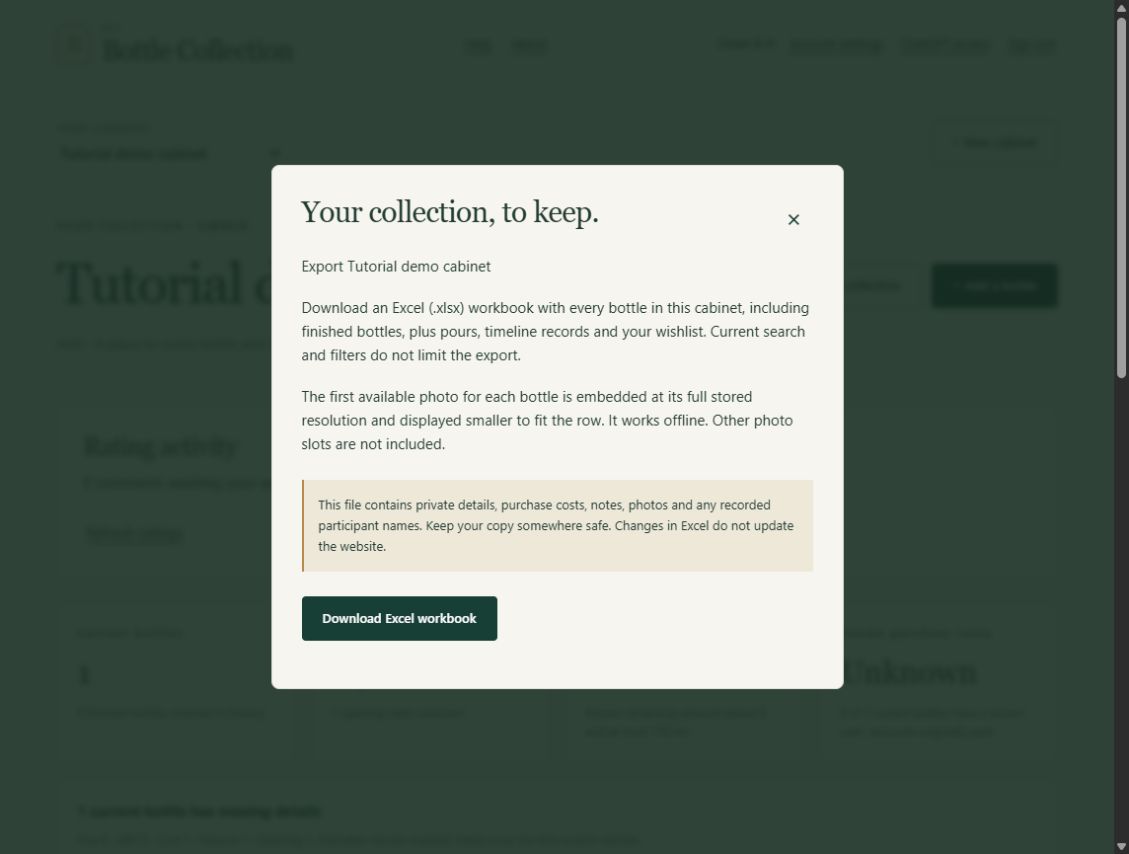
- Review what will be included.
- Choose Download Excel workbook.
- Wait for the file to be prepared, then open the downloaded
.xlsxfile in Excel or another compatible spreadsheet application.
Exports with many full photos can take longer and produce larger files. If another export is running, wait before trying again. If the app reports an export limit, contact support for help; it does not produce a partial workbook.
3. Explore the sheets
| Sheet | What you will find |
|---|---|
| Collection | Every physical bottle, including finished bottles, with its recorded details and selected photo |
| Pours | Recorded pours and associated tasting information |
| Timeline | Bottle history, including corrected and superseded milestones |
| Wishlist | Active wishlist records |
| Wishlist purchases | Original wishes, purchase details and resulting bottle IDs |
| Export information | Information about the exported snapshot |
Unknown values stay blank or explicitly unknown. Estimates remain marked as estimates. Recorded purchase costs are the amounts originally paid, rather than a current valuation.
4. Understand which photos are included
For each bottle, the export embeds the first occupied photo slot: slot 1, then slot 2, then slot 3. It uses the full stored photo, displayed smaller to fit the row, so that image stays available offline.
Additional photo slots and original files from before upload processing are not included. A bottle without a photo still exports with its recorded details.
Ratings and rating comments are not included in the current export.
5. Keep a dated copy somewhere suitable
Give the downloaded file a recognisable name, such as my-collection-2026-10-22.xlsx. Store it somewhere suitable for private information: the workbook can include purchase costs, private notes, photos and recorded participant or display names.
Account credentials and secret sharing or invitation links are excluded. If you want to show someone a selected view of your bottles, use a share link instead of sending the full workbook.
A snapshot you can read offline
Editing the workbook does not update My Bottle Collection. Direct workbook import or cabinet restoration is not currently supported. For adding selected inventory rows through the plugin, follow the ChatGPT spreadsheet guide; that workflow does not restore photos or history.
Download a fresh copy whenever you want a more recent snapshot. Keep original photos separately if you also want copies of images beyond the one selected per bottle.
Next: Return to your cabinet to export, or read the Excel export help.