COLLECTOR GUIDES
How to share your bottle collection
You might want a friend to browse your bottles, a partner to help keep them up to date, or someone to see one particular bottle. My Bottle Collection gives you different ways to do each.
You need to be the cabinet Owner to manage invitations and public share links.
Screenshots use fictional tutorial records. Controls are shown as captured in October 2026.
Choose the right way to share
| What you want to do | Choose | What the other person needs |
|---|---|---|
| Show selected details from your collection | A public collection link | The link; no account required |
| Show selected details from one bottle | A public bottle link | The link; no account required |
| Let someone browse as a cabinet member | A Viewer invitation | An account with the invited email verified |
| Let someone update bottles and record pours | An Editor invitation | An account with the invited email verified |
A cabinet membership gives ongoing access according to that role. A public link gives a read-only view of the details you select.
Share a collection or a single bottle by link
- Sign in and select the cabinet you own.
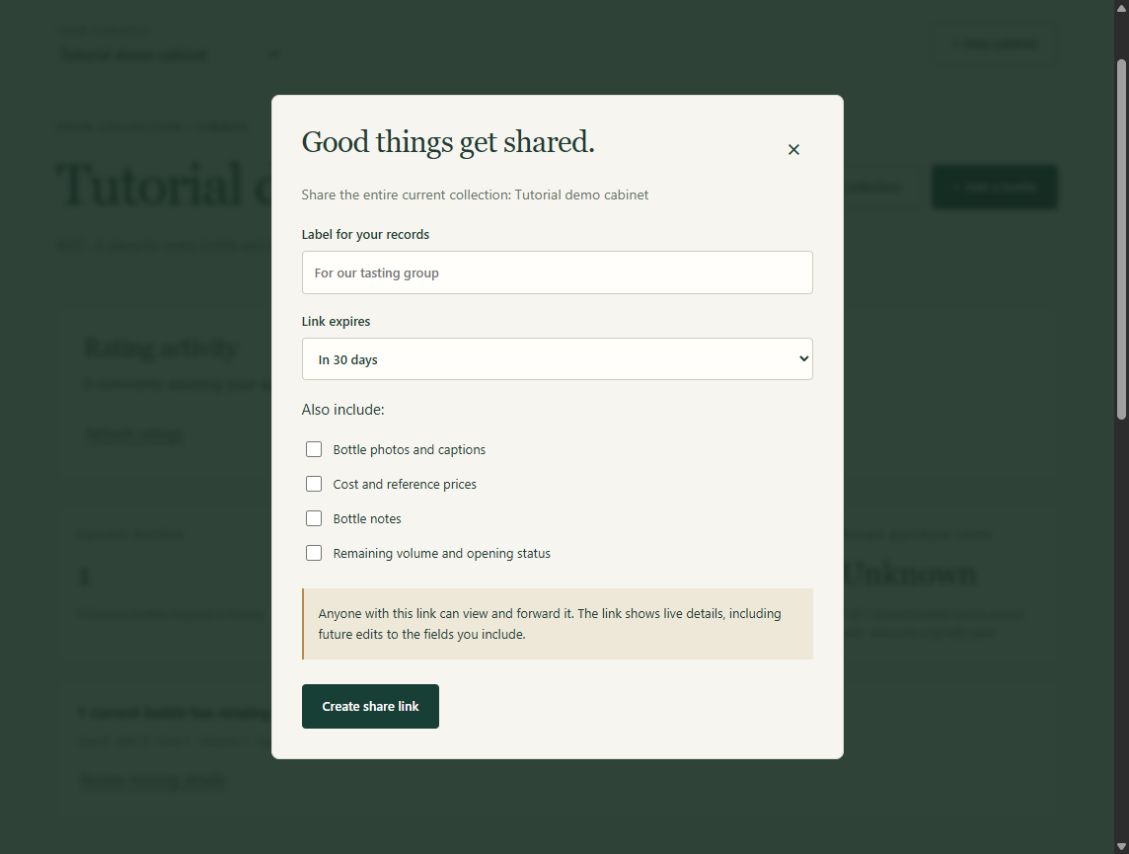
- Choose Share collection, or Share bottle for an individual bottle.
- Select the details you want to include. Photos and captions, prices, notes, and remaining volume/opening state are excluded by default.
- Choose an expiry and generate the link.
- Keep a copy of the link and send it to the person you want to show.
For example, you could share bottle names and photos with a friend while leaving purchase costs and remaining amounts hidden.
Public links show live collection details, so later updates to included information can appear through the same link. Anyone holding the link can open or forward it. Private timelines, pour history, ratings and rating comments are not included.
The address you see when you open View bottle is private and requires cabinet access. Use Share bottle when the recipient does not have an account.
Invite someone into your cabinet
- Open People & access in the cabinet you own.
- Enter the person’s email address and choose Viewer or Editor.
- Send the invitation.
- Ask them to sign in using that exact verified email address, then reopen the invitation and accept it.
Viewers can browse. Editors can also update bottles and record pours. Owners manage people and public links.
An invitation lasts seven days. Receiving or opening the email does not grant access by itself: the recipient must accept it after signing in. If they need a new account, invited registration is available even when general registration is closed.
Review access when plans change
Use Shared links to revoke a public link you no longer need. Revoking it stops future access through that link, but cannot recall information someone has already copied.
Use People & access to review cabinet membership and pending invitations. Owners can revoke pending invitations.
Before sharing, check the cabinet or bottle, the included details and the expiry. Choose the smallest amount of information that suits the occasion.
Next: Keep an offline copy of your collection, or see the sharing help.